> ## Documentation Index
> Fetch the complete documentation index at: https://vibekanban.com/docs/llms.txt
> Use this file to discover all available pages before exploring further.
# Settings Overview
> Configure application-wide settings including themes, editor, agents, and more
The Settings dialog provides a streamlined, tabbed interface for configuring Vibe Kanban.
## Accessing Settings
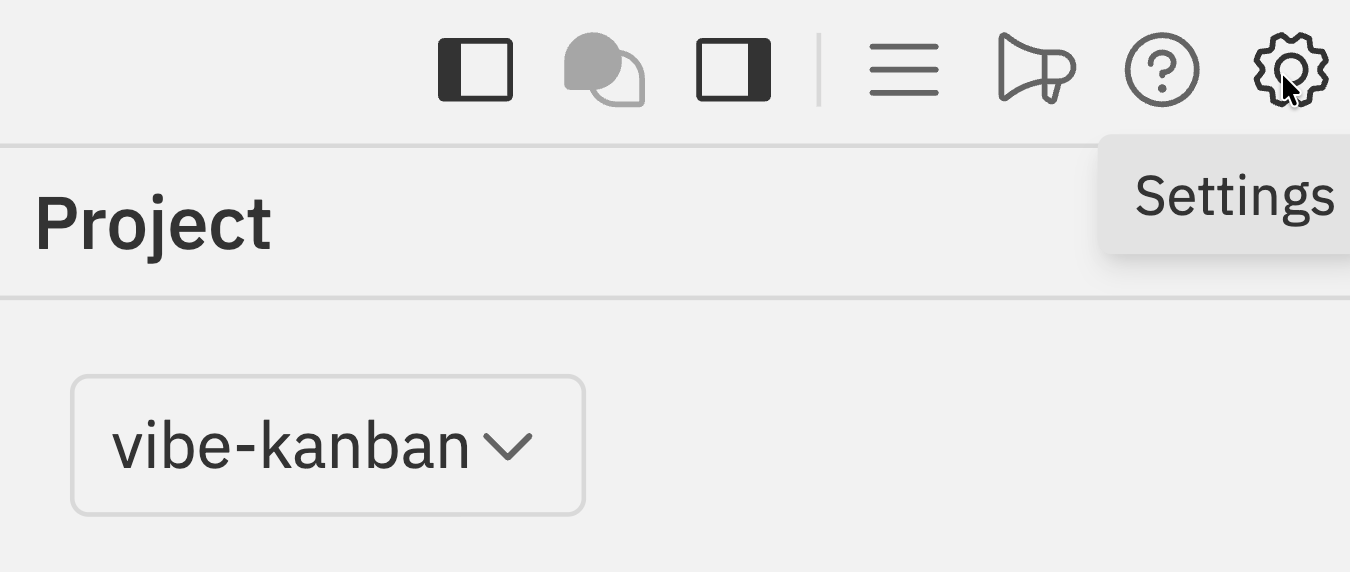 * Click the **Settings** icon () in the Workspaces navbar
* Press `Cmd/Ctrl + K` and select **Settings**
## Settings Tabs
* Click the **Settings** icon () in the Workspaces navbar
* Press `Cmd/Ctrl + K` and select **Settings**
## Settings Tabs
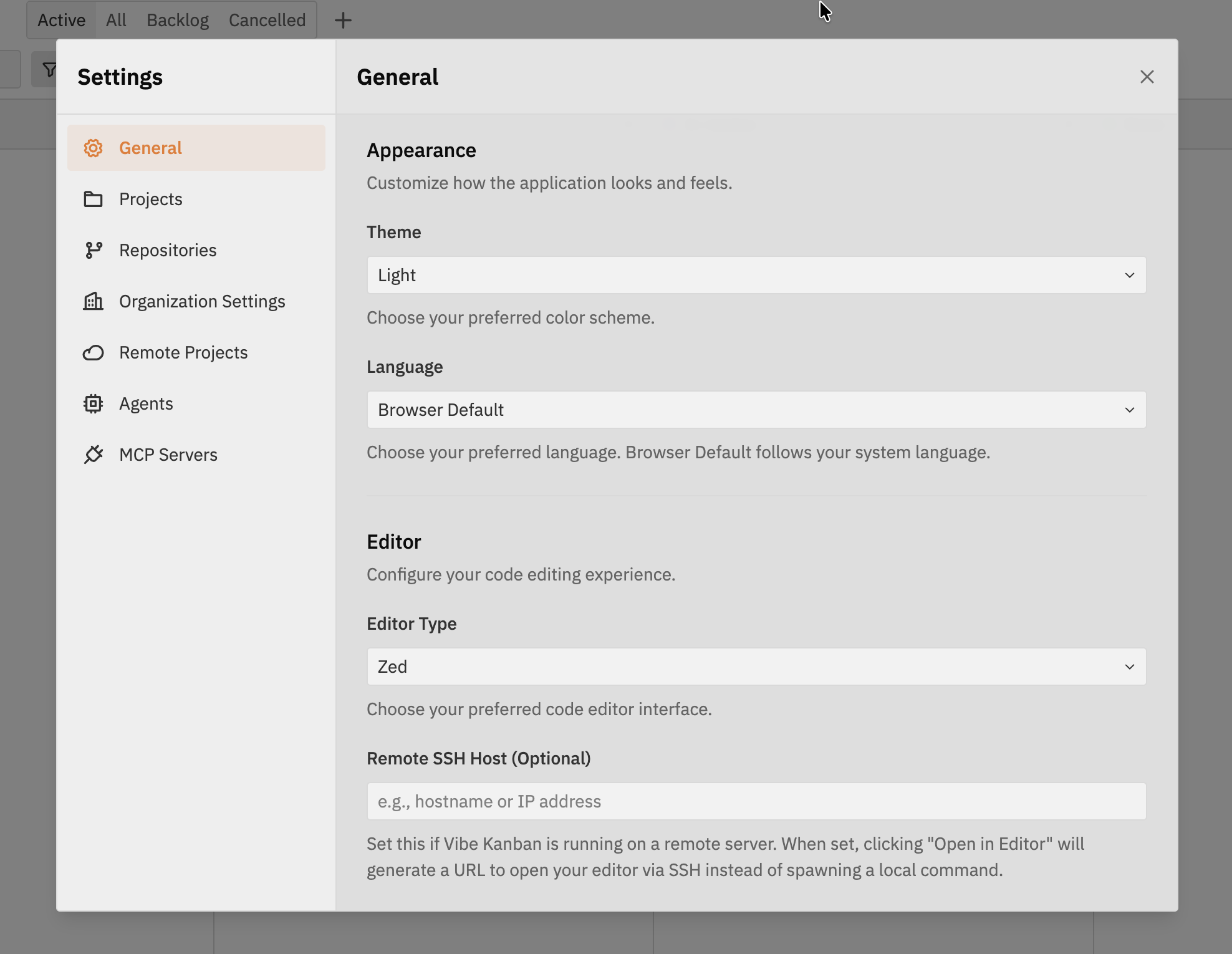 The settings dialog is organised into the following tabs:
| Tab | Description |
| ------------------------- | --------------------------------------------------------- |
| **General** | Appearance, default agent, editor, git, and notifications |
| **Projects** | Project-specific settings |
| **Repositories** | Repository scripts (dev server, setup, cleanup) |
| **Organization Settings** | Organisation members, invitations, and settings |
| **Remote Projects** | Cloud-synced projects across organisations |
| **Agents** | Agent profiles and variants |
| **MCP Servers** | Model Context Protocol server configuration |
## General
Configure appearance, default agent, editor, git preferences, notifications, and tags.
Complete guide to general settings including appearance, editor configuration, and more
## Projects & Repositories
Configure project-specific settings and repository scripts including dev server, setup, and cleanup commands.
Configure project settings and repository scripts
## Organization Settings
Manage your Cloud organisations, invite team members, and configure organisation-level settings.
Manage members, invitations, and organisation settings
## Remote Projects
View and manage all your Cloud-synced projects across organisations. Create, edit, and delete projects from a centralised interface.
Manage Cloud projects across all your organisations
## Agents
The settings dialog is organised into the following tabs:
| Tab | Description |
| ------------------------- | --------------------------------------------------------- |
| **General** | Appearance, default agent, editor, git, and notifications |
| **Projects** | Project-specific settings |
| **Repositories** | Repository scripts (dev server, setup, cleanup) |
| **Organization Settings** | Organisation members, invitations, and settings |
| **Remote Projects** | Cloud-synced projects across organisations |
| **Agents** | Agent profiles and variants |
| **MCP Servers** | Model Context Protocol server configuration |
## General
Configure appearance, default agent, editor, git preferences, notifications, and tags.
Complete guide to general settings including appearance, editor configuration, and more
## Projects & Repositories
Configure project-specific settings and repository scripts including dev server, setup, and cleanup commands.
Configure project settings and repository scripts
## Organization Settings
Manage your Cloud organisations, invite team members, and configure organisation-level settings.
Manage members, invitations, and organisation settings
## Remote Projects
View and manage all your Cloud-synced projects across organisations. Create, edit, and delete projects from a centralised interface.
Manage Cloud projects across all your organisations
## Agents
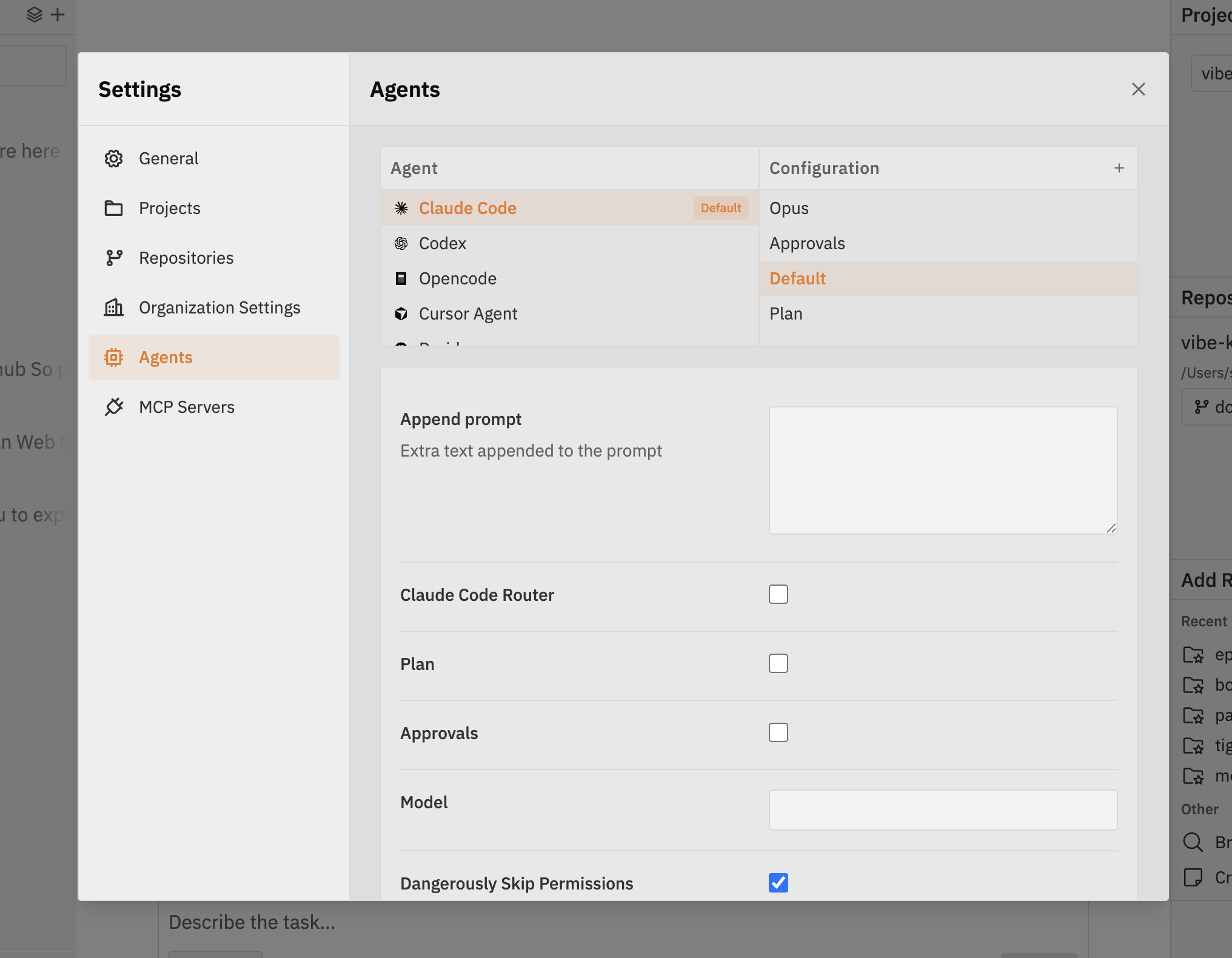 Define and customise agent variants using a form-based interface. The Agents tab uses a finder-style two-column layout:
* **Left column (Agents)** - Available coding agents (Claude Code, Codex, Opencode, Cursor Agent, etc.)
* **Right column (Configurations)** - Different variants for the selected agent (Default, Opus, Approvals, Plan, etc.)
Detailed guide with examples for configuring agent variants
## MCP Servers
Define and customise agent variants using a form-based interface. The Agents tab uses a finder-style two-column layout:
* **Left column (Agents)** - Available coding agents (Claude Code, Codex, Opencode, Cursor Agent, etc.)
* **Right column (Configurations)** - Different variants for the selected agent (Default, Opus, Approvals, Plan, etc.)
Detailed guide with examples for configuring agent variants
## MCP Servers
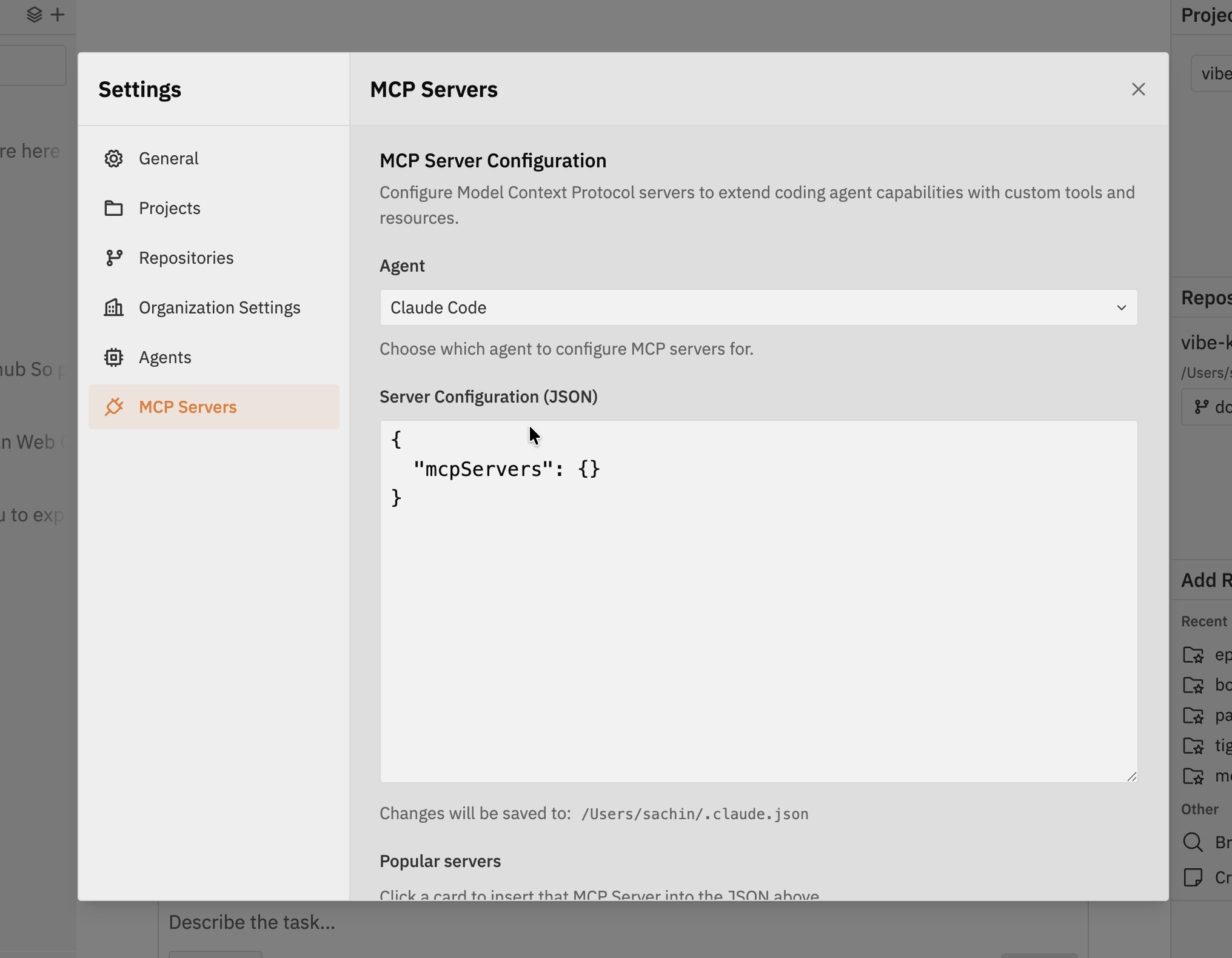 Configure Model Context Protocol servers to extend coding agent capabilities with custom tools and resources.
* **Agent** - Choose which agent to configure MCP servers for (e.g., Claude Code)
* **Server Configuration (JSON)** - Edit the MCP server configuration directly in JSON format
* **Popular servers** - Click a card to insert a pre-configured MCP server into the JSON
Configure MCP servers within Vibe Kanban for your coding agents
## Related Documentation
* [Workspaces](/workspaces/index) - The Workspaces UI where settings are accessed
Configure Model Context Protocol servers to extend coding agent capabilities with custom tools and resources.
* **Agent** - Choose which agent to configure MCP servers for (e.g., Claude Code)
* **Server Configuration (JSON)** - Edit the MCP server configuration directly in JSON format
* **Popular servers** - Click a card to insert a pre-configured MCP server into the JSON
Configure MCP servers within Vibe Kanban for your coding agents
## Related Documentation
* [Workspaces](/workspaces/index) - The Workspaces UI where settings are accessed